Mobile Reservation and Ordering System: Difference between revisions
No edit summary (change visibility) |
No edit summary (change visibility) |
||
| Line 95: | Line 95: | ||
* Restaurant Table : keeps restaurant info with its name, password, coordinates, description, number of available seats, availability and active or inactive status |
* Restaurant Table : keeps restaurant info with its name, password, coordinates, description, number of available seats, availability and active or inactive status |
||
* RestaurantMenuList Table : keeps the menu list info of the restaurants |
* RestaurantMenuList Table : keeps the menu list info of the restaurants |
||
[[File:databaseStructure.jpg]] |
|||
Revision as of 05:44, 4 May 2013
Introduction
Communication through mobile systems is taking over our daily life, and shaping point of views to the world. Mobile technologies are in demand of today’s business life and nowadays these mobile systems are most popular systems of innovative technology. Mobile Reservation and Ordering System project will give the chance of controlling the availability of nearby restaurants and their menu options to the user without going to restaurant.
Project Description
Mobile Reservation and Ordering System presents a system that is appropriate for setting time and shape of the meals. By means of using of this software product, we plan to serve customers with a system that arranges proper time and proper restaurants for them. This project is based on mobile Android and IOS operating system, that’s why every mobile device that handles these operating systems will be available for our reservation and ordering application. Also because of growing movement on mobile applications’ market share, this project gives us the opportunity to approach many users.
- Mobile Reservation and Ordering System application is composed of three main subsystems. Database, Android and IOS mobile applications and web application generate a system that provides mobile user and restaurant user to interact with database in order to do operations related with reservations. The major part of this general structure is database. Operations on database are provided through the usage of mobile application and web application.
- Mobile applications provide user to place an order changing the database variables dynamically. When the order is placed by mobile application user whose location is determined, the variables belonging to order table in database are updated. The online order is shaped according to restaurant id, restaurant menu selection, number of people reserved for table, contact phone number and time for delivering the order to the customer.
- Web application provides restaurant users to be informed about orders. Through refreshing database, the restaurant user can be aware of the order information with the changing values of the variables. All of ordering information is defined for explaining the concept of orders to the restaurant users. Moreover with specific username and password restaurant users are accepted for the web application system in order to do operations on database. The restaurant users can update the status of orders and number of available seats in restaurant for the following orders. On the other hand, administrator of the web application can do other operations related with database variables. The web admin users carry out adding, deleting and updating operations.
Purpose of the Project
The purpose of this project is to present mobile users software product in order to give them chance to place order without going to restaurants, minimize the waiting time for the preparation of food, provide restaurant users chance to keep track how many customers come and at which time intervals, provide restaurant users to save money while hiring required number of waitress depending on the number of person placed an order and give them chance to compute with fast food chains for the fight against obesity.
Project Design
Information flow representation is the description of the general structure and process flow of the software project. By using different kinds of diagrams, the process was articulated clearly and thus the implementation phase was completed easily since we abide the standard flow of the processes. Using these flow diagrams provided us to make a shape of our software product.
Hardware and Software Interfaces
For Mobile Reservation and Ordering System Project Development we used :
- Eclipse with Android SDK for Java Development
- XCode for IOS Development
- NetBeans IDE for Web Application (through JSP)
- Apache Tomcat web server
- MySQL for Web Applications Database that works on Linux Server and holds restaurant, menu, reservation and order information
- SQLite for Android and IOS mobile application’s database that updates itself depending on the information updates from the restaurants
For Mobile Reservation and Ordering System Application user :
- User must have Android or IOS operating systems running device.
- New versions of web browsers should be used in restaurant’s computers for the dynamic interactions with database.
Mobile User Interfaces
The software interface for mobile user is the interface of mobile application program that is composed of finding the closest restaurants, selecting restaurant, selecting menu and time, stating number of person and reservation detail and placing order buttons. Menu selection options provide mobile user to make choices from the restaurant menu list.
Android Mobile User Interfaces
IOS Mobile User Interfaces


Restaurant User Interfaces
The software interface for restaurant web user is the interface of web application. The login page is provided with web application in order to give restaurant user chance to login system and control order information using its specific username and password. Another interface for restaurant user is that the restaurant related information taken from the database is shown in order to make required changes for restaurant and restaurant menu information.
Welcome Page for Mobile Reservation and Ordering System
It is the first we page that welcomes admin and restaurant web users. It directs admin and restaurant user to login to the “Mobile Reservation and Ordering System”.


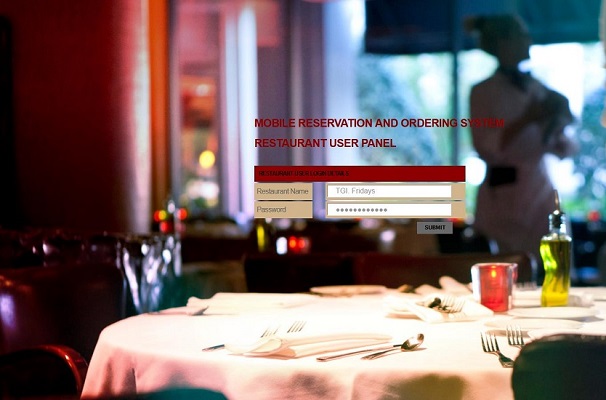
Restaurant Login Page
Welcome page directs user to restaurant login page when the user logins into system as restaurant user. This page expects user to enter username and corresponding password in order to login into the system. Then it directs user to restaurant main page.

Restaurant Main Page
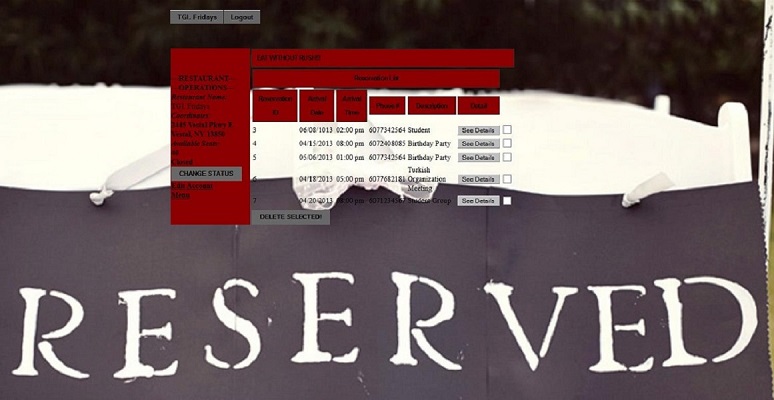
This page shows restaurant name, coordinates, available seats and status of the restaurant as a label. It also shows related information about reservation such as reservation id, arrival date, arrival time, phone number and reservation description. It direct user to restaurant info edition page and menu pages. Moreover,it allows restaurant user to delete the reservations and see detailed information about the reservation and ordered menu items directing user to reservation detail page. The restaurant user can change the status of the restaurant by clicking status change button.

Restaurant Edit Account Page
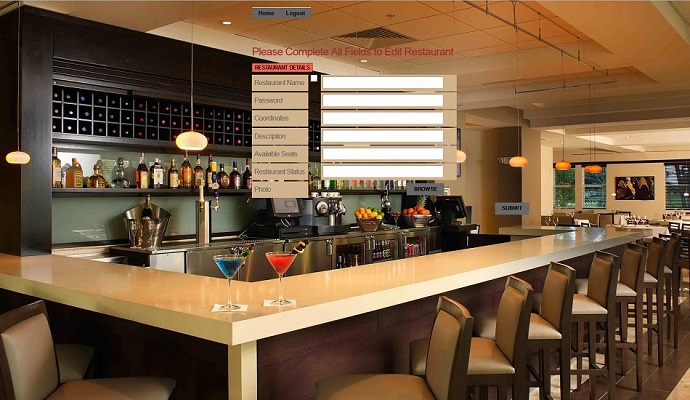
Restaurant main page directs user to restaurant info edition page when the user clicks edit account link. It allows restaurant user to change the previous restaurant info entering new name, new password, new coordinates or new description information. Restaurant user can also change the number of available seats in the restaurant and restaurant status through this web page.

Restaurant Menu Page
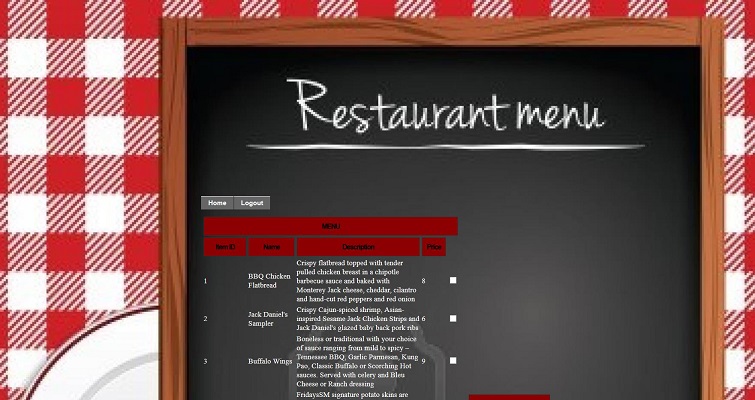
Restaurant main page directs user to menu page when the user clicks menu link. It shows the menu item id, name, description and price info of the menu items belonging to that restaurant. It also allows user to add new item into restaurant menu entering new item name, description, price and uploading menu item photo.

Restaurant Menu Item Edit Page
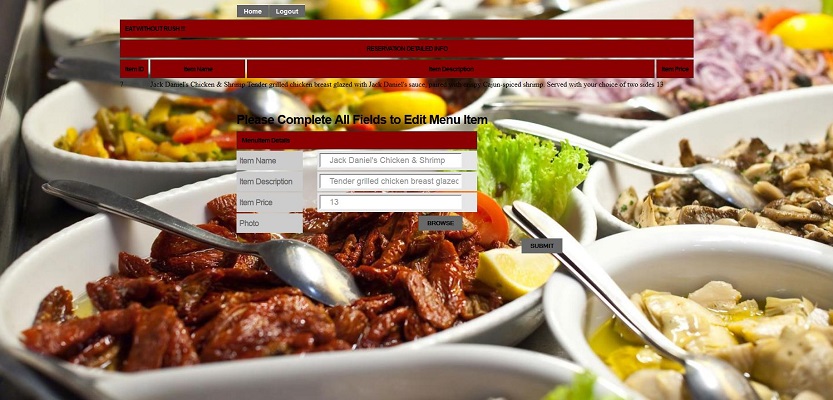
Menu page directs user to menu item edition page when the user clicks menu item edit button. It shows the item id, name, description and price info of the selected menu item. Then it allows user to edit menu item info entering new name, description, price and uploading new photo.

Restaurant Reservation Detail Page
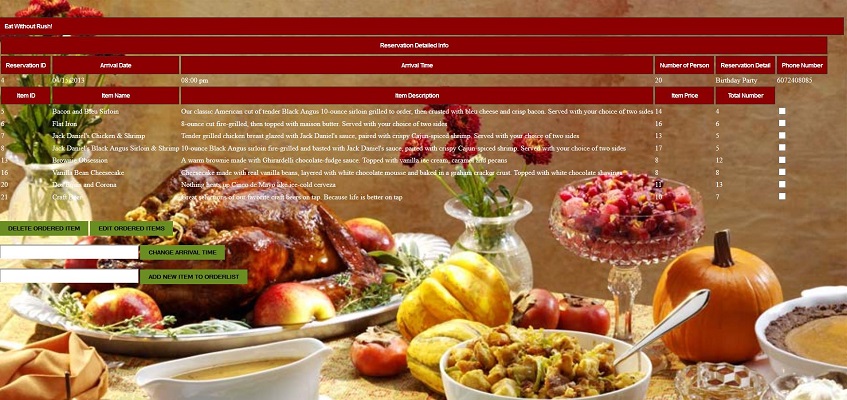
Restaurant main page directs user to reservation detail page when the user clicks see details of the reservation button. It shows detailed info of reservation with reservation id, arrival date, arrival time, number of person, reservation detail, phone number and ordered item list. Restaurant use can delete and edit ordered list, change the arrival time of the customers and add new item to the order list. When the user clicks edit ordered items button, it directs user ordered item edition page.

Restaurant Ordered Item Edit Page
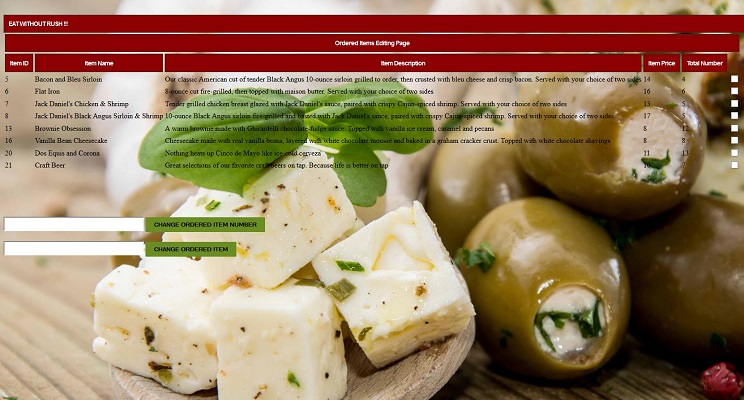
Reservation detail page directs user to ordered item edition page when the user clicks edit ordered item button. Restaurant user can change the ordered item totally or he/she can change the total number of selected ordered item through this web page.

Administrator Interfaces
The software interface for administrator web user is the interface of web application. The login page is provided via web application in order to do adding, deleting and updating operations for administrator and restaurant information.
Admin Login Page
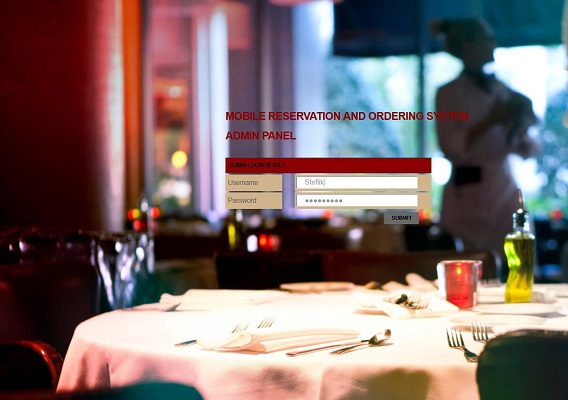
Welcome page directs user to admin login page when the user logins into system as admin. This page expects user to enter username and corresponding password in order to login into the system. Then it directs user to admin main page.

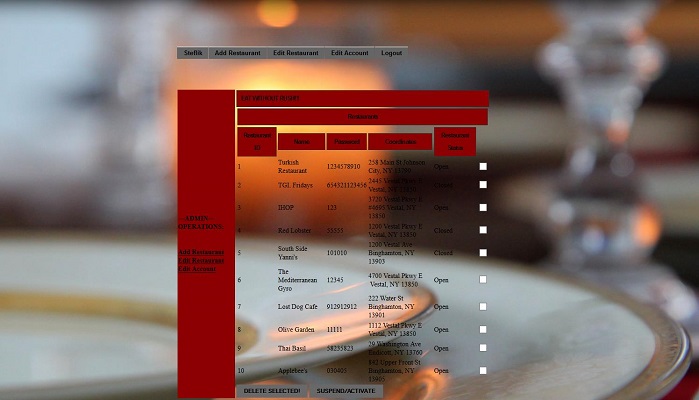
Admin Main Page
Admin login page directs user to admin main page when the username and password is validated. It shows admin operations such as add restaurant, edit restaurant and edit account. It also shows restaurant id, name, password, coordinates and status of the restaurant. It allows admin user to suspend or reactivate the account of the restaurants. It is also possible to delete restaurant from database completely via this page.

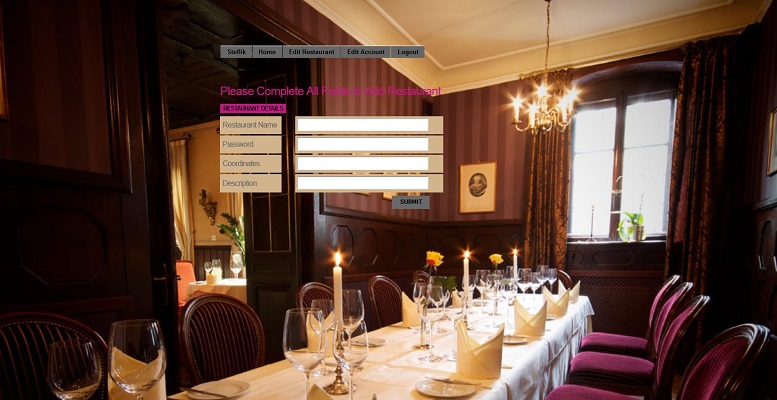
Admin Add Restaurant Page
Admin main page directs user to restaurant adding page when the user clicks add restaurant link. It allows admin user to add new restaurant entering name, password, coordinates and description information of the new restaurant.

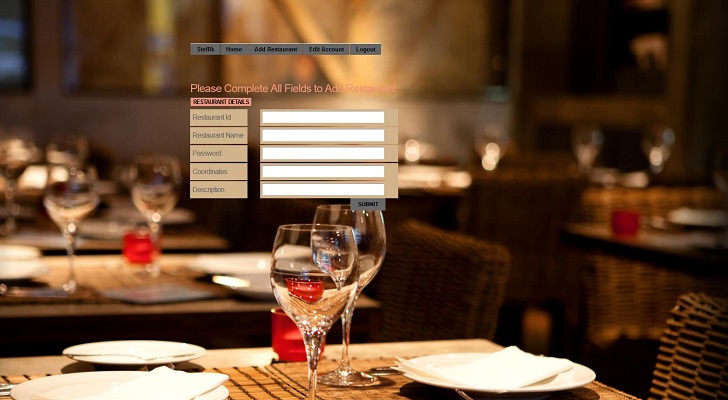
Admin Edit Restaurant Page
Admin main page directs user to restaurant editing page when the user clicks edit restaurant link. It allows admin user to edit previously known restaurant entering new name, new password, new coordinates or new description information.

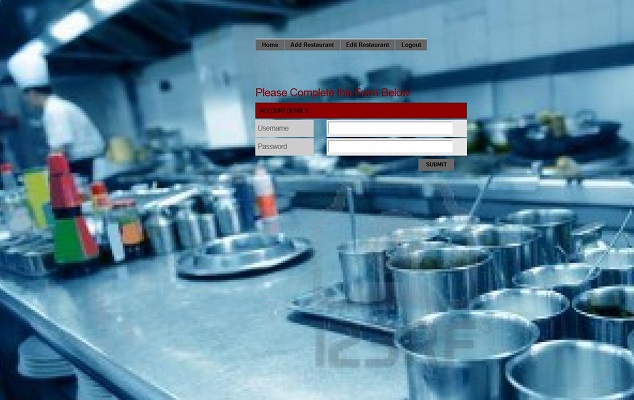
Admin Edit Account Page
Admin main page directs user to account editing page when the user clicks edit account link. It allows admin user to change the password of the administrator by entering username and new password.

Technical Specification
Database Structure
- Admin Table : keeps username and password
- Menu Table : keeps menu items with its name, description and price
- OrderedItemList Table : keeps ordered item list with the specified total number of each item
- Reservation Table : keeps reservation info with arrival date, arrival time, number of person the table reserved for, reservation detail and phone number of the mobile user
- Restaurant Table : keeps restaurant info with its name, password, coordinates, description, number of available seats, availability and active or inactive status
- RestaurantMenuList Table : keeps the menu list info of the restaurants


