Restaurant Automation: Difference between revisions
No edit summary (change visibility) |
No edit summary (change visibility) |
||
| Line 63: | Line 63: | ||
====Main Screen==== |
====Main Screen==== |
||
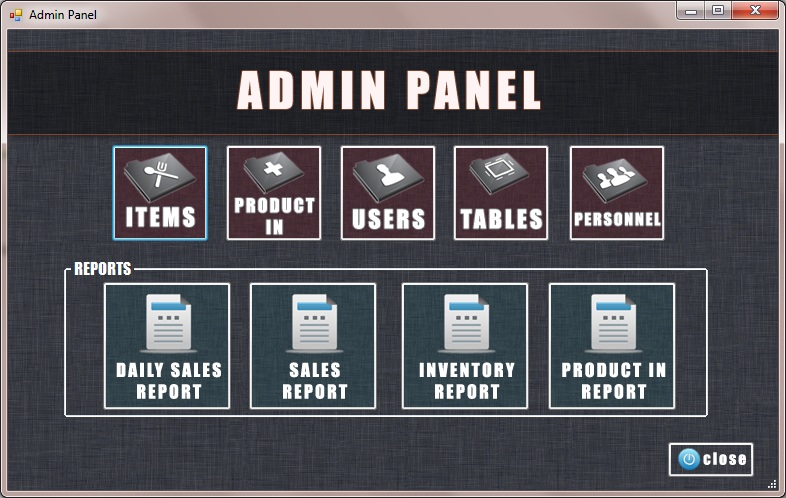
This screen allows to user edit, add, delete items, product in processes, users, tables, personnel of the restaurant and seeing reports of the restaurant if user role is admin. |
This screen allows to user edit, add, delete items, product in processes, users, tables, personnel of the restaurant and seeing reports of the restaurant if user role is admin. |
||
[[File:Admin.jpg]] |
|||
Revision as of 03:08, 1 May 2013
Restaurant Automation project is developed by Ahmet Tezcan TEKIN and Burak KAHRAMAN as a senior project.
Introduction
Restaurant Automation is a software product which have different screens in kitchen and in front of cashiers , reports and inventory modules which are embedded and customers use Ipad for ordering their orders. Before this system, waiters were taking orders and manager of restaurant was calculating sales revenue, restaurant expenses manually. So that making mistake about taking order or calculating sales revenue and restaurant expenses was so easy and also it means much workload for all employees.
Purpose of This Project
Purpose of this project; developing a system which orders can be taken correctly from an IPad, minimizing loss of time and workload, making restaurants more attractive. Reports of sales, product-in and inventory can be taken correctly, calculating sales revenue fast and the most important part is controlling inventory of restaurant efficiently.
Major Problems of Restaurant Automation Systems and Benefits of Our Project to Restaurants
- Waiters' main mission is serving so if they are taking orders and transmitting the order to kitchen or somewhere else, this is extra workload.
- Bills can be confused. Items which are not eaten from customers can be added to bill or another customer's check.
- Reports cannot be controlled correctly.
- Orders can be confused. Items in the order can be served wrong customers.
- Employers hire number of unnecessary people because of extra workload.
- Employers don't know how much they exactly earn money.
- If restaurants have too much floor, transmitting to order is too difficult.
- Performance measuring is very difficult.
- Inventory tracking is too hard.
- IPad using is a different way and it's more attractive.
- It will be more technologic so that customers will have good impression about the restaurant.
As a result; all restaurants or buffets which work in food sector, they all need this system for their own sake.
Technical Documentation
- Kitchen Module : C# Desktop Application, MS SQL Server Express Edition
- Cashier Module : C# Desktop Application, MS SQL Server Express Edition
- Admin Module : C# Desktop Application, MS SQL Server Express Edition
- Customer Module : Monotouch Technology for Ipad Development , MS SQL Server Express Edition
Software Technologies
In database of our project , we used MS SQL Server Express Edition because it is a free version. If the restaurant expands , database can be migrated to MS SQL Server Professional Edition. It will be easy with migration solutions which are between MS SQL Server Express Edition and MS SQL Server Professional Edition. In IPad application, we used Monotouch technology. Because we were familiar with C# and .NET libraries. MonoTouch developed by Novell is an API that allows developers to create C# and .NET based applications that run on Apple's iPhone and Apple's iPod Touch devices while taking advantage of the iPhone APIs and reusing both code and libraries that have been built for .NET, as well as existing skills.[1]
Hardware
The list of required hardware for this project.
- 1 PC for cashier
- 1 PC for kitchen and big lcd screen
- Ipads for customers
- 1 laptop or netbook for administrator ( manager or owner of the restaurant)
Modules of Restaurant Automation
Kitchen Module
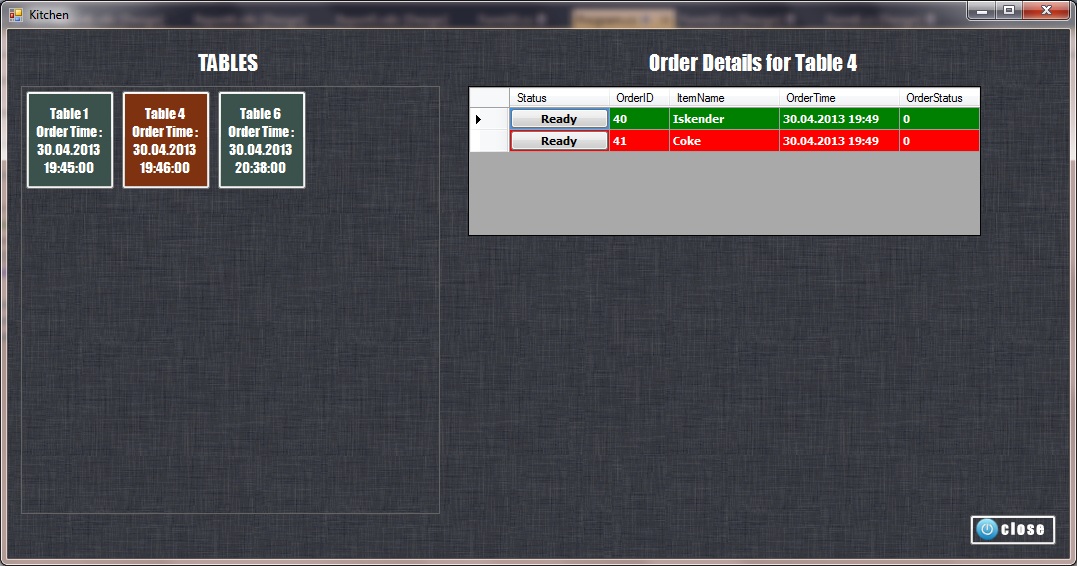
When customer is done with ordering, the order is seen on the screen which is located in kitchen. When the order is ready, order on the screen is checked by somebody in kitchen.

Cashier Module
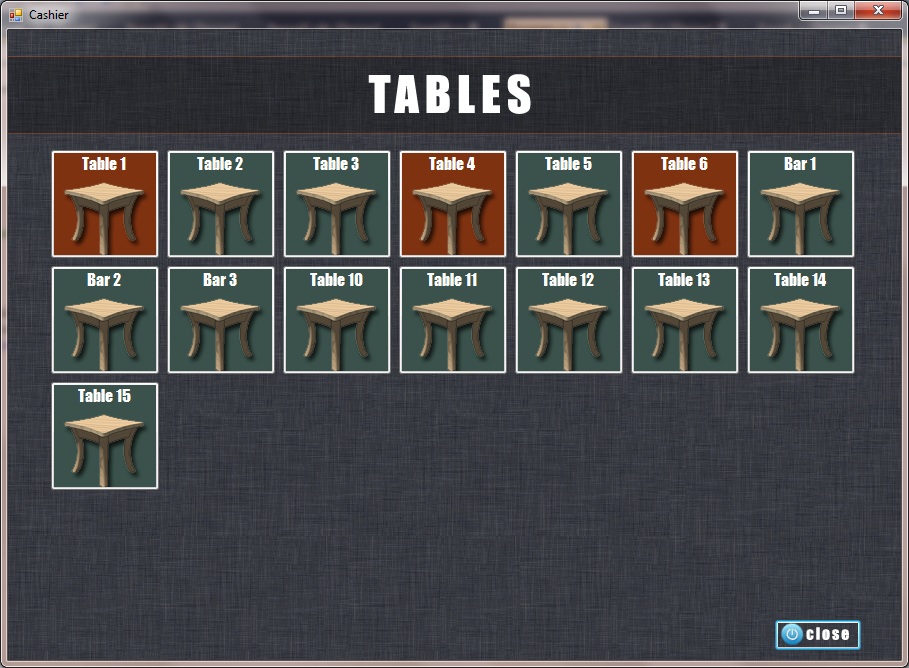
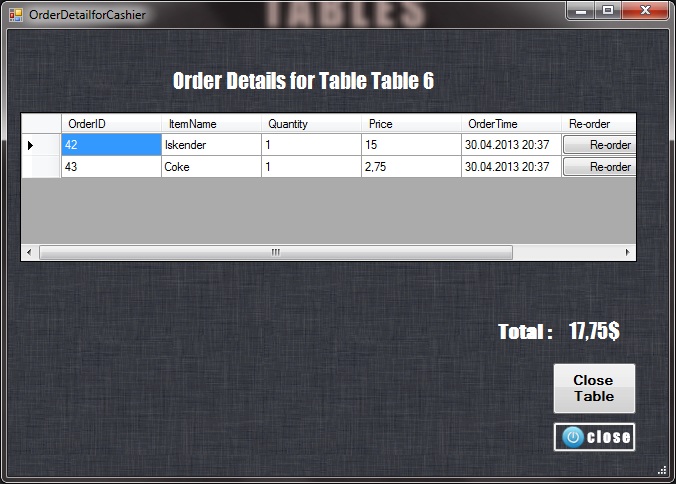
When customer is done with ordering, components in the order and their prices is seen on the screen which is located in front of the cashier with table number. When customer wants to check from Ipad, his check request warns the cashier with a ring tone. When cashier clicks table button, contents of order and total price is seen on the screen. After closing table process, table is free again.


Admin Module
Reports , Inventory and Ingredients of food is handled in this module. This is the most important part of the project. In reports, admin can see everything. We expanded report part as possible as we can. In inventory part, there will be product in , products etc. When admin wants to add food to restaurant menu, he will add all of it's ingredients with their quantity. We allow users to get reports in Word, PDF and Excel also print option.
Login Screen
Login process, user login to the system with his own role, admin or user.
Main Screen
This screen allows to user edit, add, delete items, product in processes, users, tables, personnel of the restaurant and seeing reports of the restaurant if user role is admin.